Revolutionize Your Civil Construction Management
Manage Projects, Crew, Fleet, and Compliance with Ease. One platform for the office and the field.
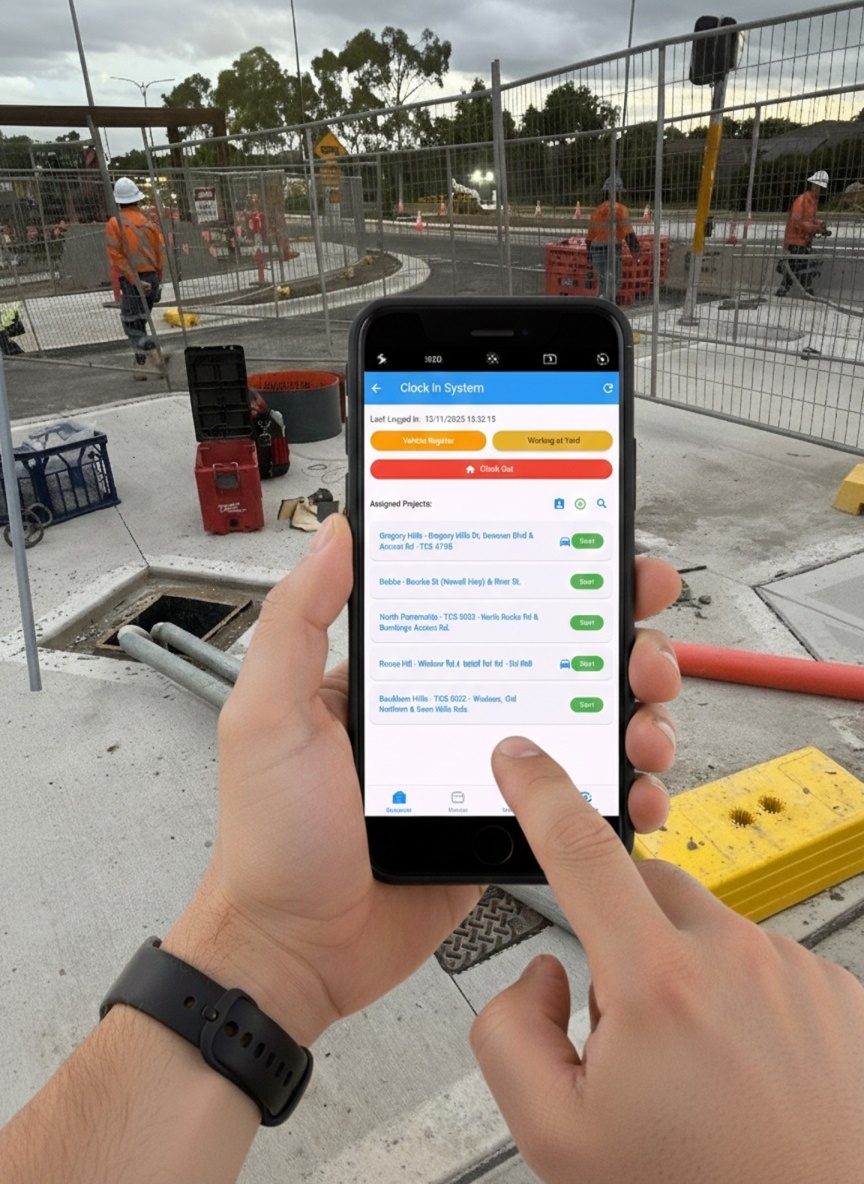
Manage Projects, Crew, Fleet, and Compliance with Ease. One platform for the office and the field.
Designed for the office and built for the field. Seamlessly connected.
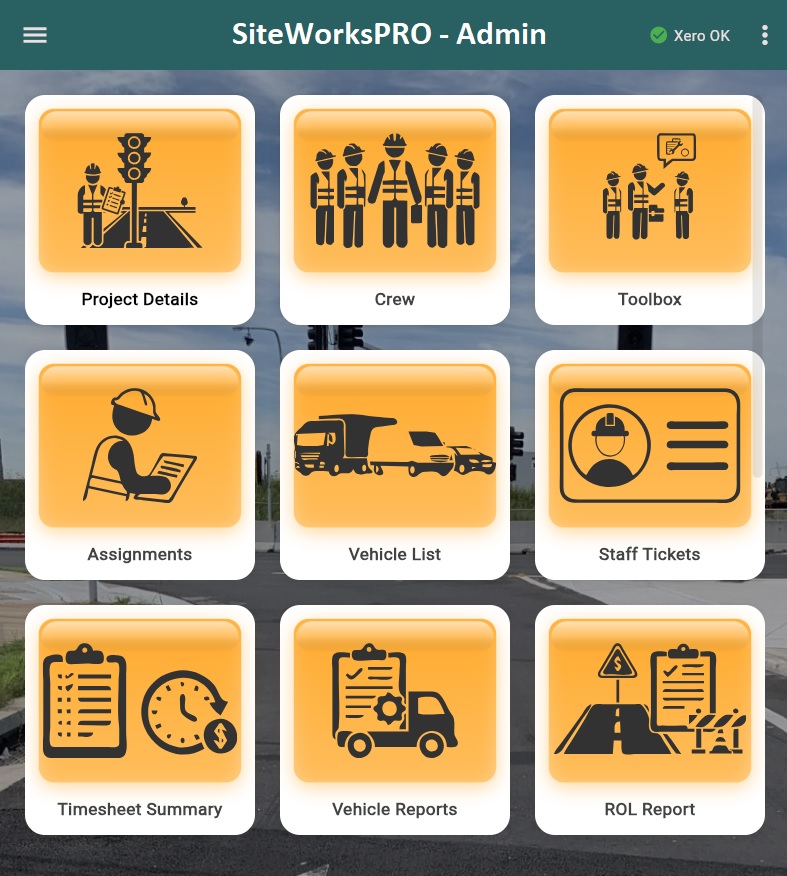
Complete control from the back office. Manage projects, compliance, fleet, and reporting.
Seamless workflow on site. Clock in, sign off, complete checklists, and access training.
From compliance to fleet management, we've got you covered.
Centralized project info, site attendance tracking, and real-time updates.
Create SWMS with templates and get digital sign-offs.
Track expiries and send automated notifications. Generate ROL reports instantly.
Seamless sync for timesheets and project costs.
Service reminders, digital paperwork, and vehicle reports.
Manage staff certifications, tickets, and expiry dates.
Generate comprehensive reports and export timesheet summaries.
Detailed vehicle inspection reports and maintenance logs.
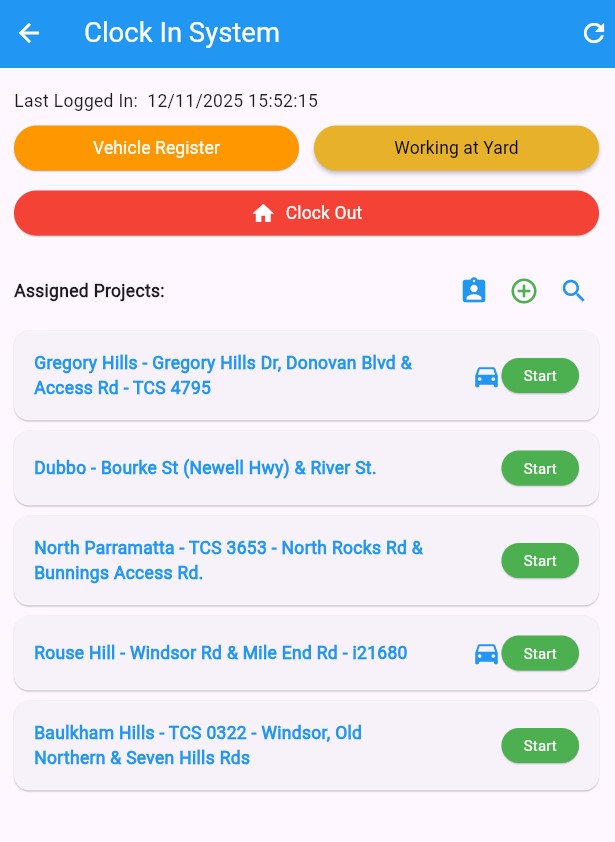
Timestamp & GPS location for accurate attendance. See your last login time.
Complete pre-start checks and flag issues.
Scan to access and sign SWMS instantly.
Generate and share PDF shift reports.
Access safety videos and quizzes on the go.
Get directions to assigned projects with site details.
Read and acknowledge SOPs digitally.
Access and sign off on toolbox talks from the field.
Empowering civil construction businesses to stay organized, compliant, and efficient.
SiteWorksPro empowers civil construction businesses to stay organized, compliant, and efficient with simple-to-use, feature-rich apps. We believe technology should make your job easier, not harder.
Founded by industry veterans, we understand the unique challenges of managing projects, crews, and compliance in civil construction. Our team is dedicated to building solutions that save you time and reduce risk.
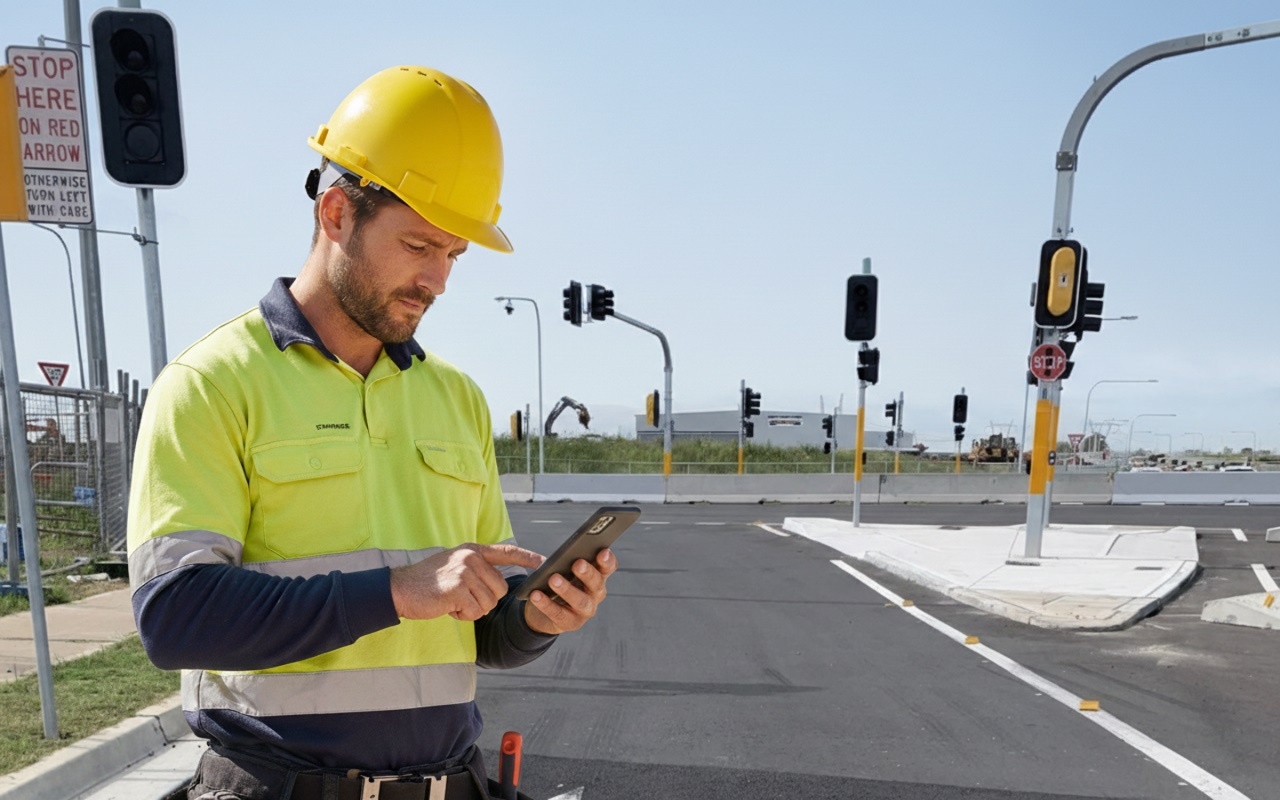
We're here to help you succeed.
Crew members tap a button in the app to clock in/out. The app records the exact timestamp and GPS location for accurate attendance tracking. You can see your last logged in time and current assigned projects.
Yes! Our Pro and Enterprise plans include seamless Xero integration for syncing timesheets and project costs automatically.
SWMS can be shared via a QR code on site. Crew members scan the code, read the document, and sign digitally. All signatures are stored securely.
You can generate Timesheet Summaries, Vehicle Reports, ROL Reports, and custom compliance reports from the Admin App.